
How Often Should You Run Geo-Grid Scans?
One of the first questions every geo-grid user asks is how often to actually scan. Scan too rarely and you’re reacting to old data. Scan too often and you’re burning hours, or, on credit-metered tools, burning budget, on noise.
Here’s a cadence framework that matches scan frequency to what the data is actually for.
Match cadence to the question you’re answering
Different questions need different frequencies.
- “Is our local SEO working?”, Monthly is enough. Rankings drift over weeks and months, not hours, and a month gives your changes time to register.
- “Did that campaign/citation batch/rebrand move anything?”, Scan before, and again two to four weeks after. The before/after delta is the deliverable.
- “We’re in a knife-fight for the Map Pack.”, Weekly. In competitive markets, weekly scans catch a competitor’s push while you can still respond to it.
- “Is something broken?”, Ad hoc. A sudden city-wide drop deserves a same-day rescan to confirm it’s real and not a fluctuation.
Why weekly is the agency default
For client work, weekly scans hit the sweet spot for three reasons.
- Trend confidence. Four data points a month let you show a direction, not a wobble. Clients trust trend lines.
- Response time. A new competitor in your grid shows up within days of their profile going live, not at the next quarterly review.
- Reporting rhythm. Weekly scans feed monthly reports with real history instead of a single before/after pair.
Consistency beats volume
The single most important rule is to keep the grid identical between scans. Same size, same spacing, same center point, same keywords. A 5x5 and a 9x9 scan sample the market at different densities, comparing them reads as movement that isn’t there.
Decide the grid once per project, write it down, and let the schedule handle repetition. If you change grid size mid-project, restart the comparison history from that date.
Automate it, don’t calendar it
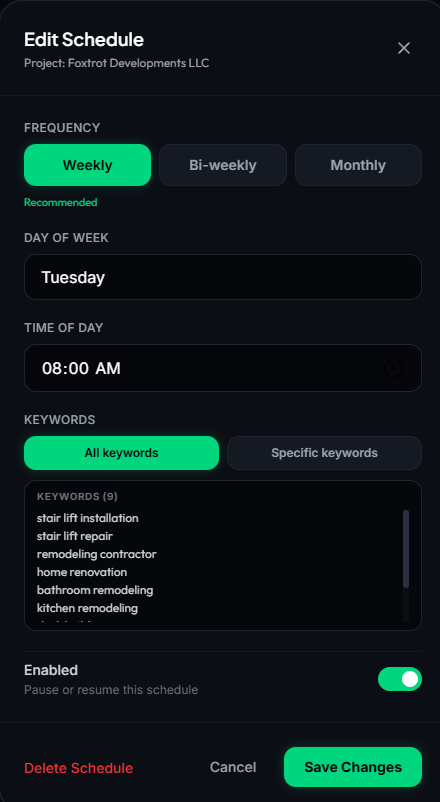
The cadence that fails is the one that depends on someone remembering to click “scan” every Monday. Put each project on a schedule, weekly for competitive keywords, monthly for the rest, and let the queue process scans in order. GeckoGrid’s scheduler runs weekly, biweekly, or monthly routines per project and queues multiple projects one at a time, so a whole client roster can scan overnight or during off-hours.
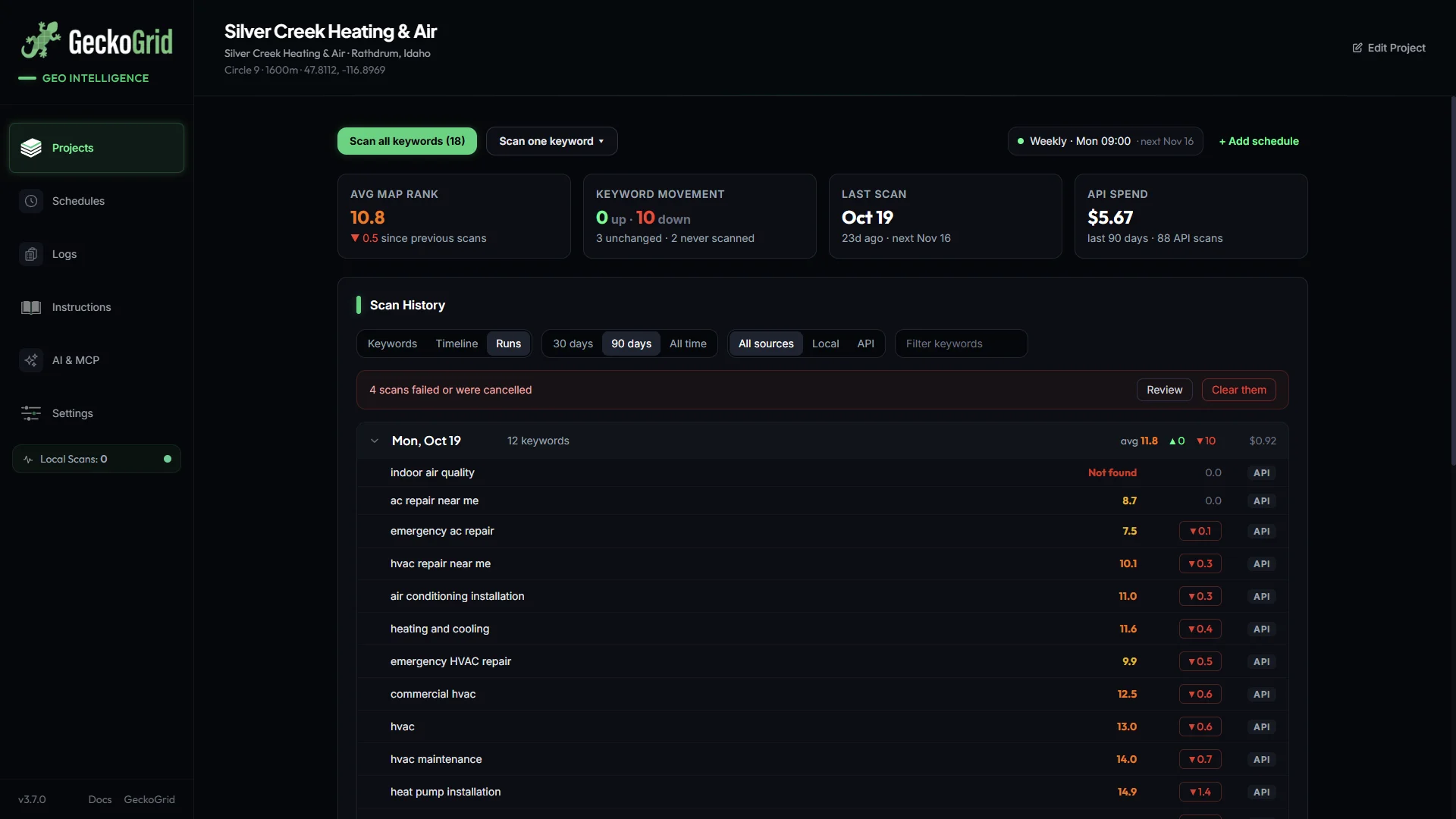
Each project’s page shows its schedules in the action bar with the next run date, and since GeckoGrid 3.7.0 the Runs view in Scan History tags scheduled runs, so you can confirm at a glance that last week’s routine actually ran and what it changed.
A practical note on pacing, local browser scans should be spaced deliberately rather than fired in huge bursts. Steady scheduled scanning is both safer for your IP and more consistent as data.
A sample roster
For a five-client roster on a weekly cycle, try this.
- Monday, scan client A (competitive market, weekly grid) and client B (monthly keyword set A).
- Tuesday, client C, before/after tracking for an active campaign.
- Wednesday, client D (quiet market, actually on a monthly cadence, week 2 of each month).
- Thursday, client E plus any new-prospect audit grids.
- Friday, review deltas, update client reports.
The point isn’t this exact plan, it’s that the plan exists, runs itself, and produces comparable history every week. That history is what turns “trust me, the SEO is working” into a map that shows it.
Frequently asked questions
How often should I run a geo-grid scan?
It depends on how fast your market moves. Competitive or emergency-intent keywords are worth scanning weekly. Quieter keywords or stable markets are fine on a monthly cadence. The single most important rule is consistency: the same grid size, center, spacing, and keywords every time, so each scan is comparable to the last.
Is scanning too often a problem?
On local browser scans, the risk is mostly wasted time and Google rate-limiting. GeckoGrid spaces requests deliberately and reduces concurrency after a high daily volume, so it is better to scan a bit less often on the same grid than to fire off bursts. On credit-metered tools, scanning too often also burns real money for little signal.
What cadence makes sense for an agency with many clients?
A weekly rhythm that spreads clients across the week works well: run each client's grid on a fixed day, let the queue process them in order, and use the remaining time to review deltas and update reports. The schedule runs itself, so the value comes from the comparison history, not from how many scans you ran.
Should I scan more often after making changes?
Yes, for a short window. If you have just made GBP changes, added reviews, or published new local pages, an extra scan two to four weeks later gives you a before-and-after to show. Once the work has settled, return to your normal cadence.
Do I need to change scan frequency seasonally?
Only if your market is seasonal. Home services, roofing, and real estate all have demand spikes tied to weather or market activity. Keep your base cadence steady, and add one-off scans around major events so you have a fresh baseline when demand spikes.
Keep reading
Geo-Grids for Service-Area Businesses, Tracking Without a Storefront
Plumbers, HVAC, mobile detailers, how to run geo-grid scans when customers never visit your address, from centering the grid to judging coverage instead of center rank.
How to Run Your First Geo-Grid Scan Step by Step
A complete walkthrough of your first geo-grid scan, choosing the keyword, grid size, and center point, running the scan, and reading your first heatmap.
Geo-Grid Sizes Explained, From 3x3 to 9x9
Which grid size fits which market? A practical guide to geo-grid density and spacing for neighborhoods, cities, and service-area businesses, with a decision table.